

Google Analytics
What is Google Analytics?
GA4 is the tool where you can read the data that comes through.
There are 2 types of information you can analyze:
- “classic” data, such as number of visits, session duration, etc.
- data from the tags set up on the GTM account
How to share your Google Analytics account?
- Open the link: https://analytics.google.com
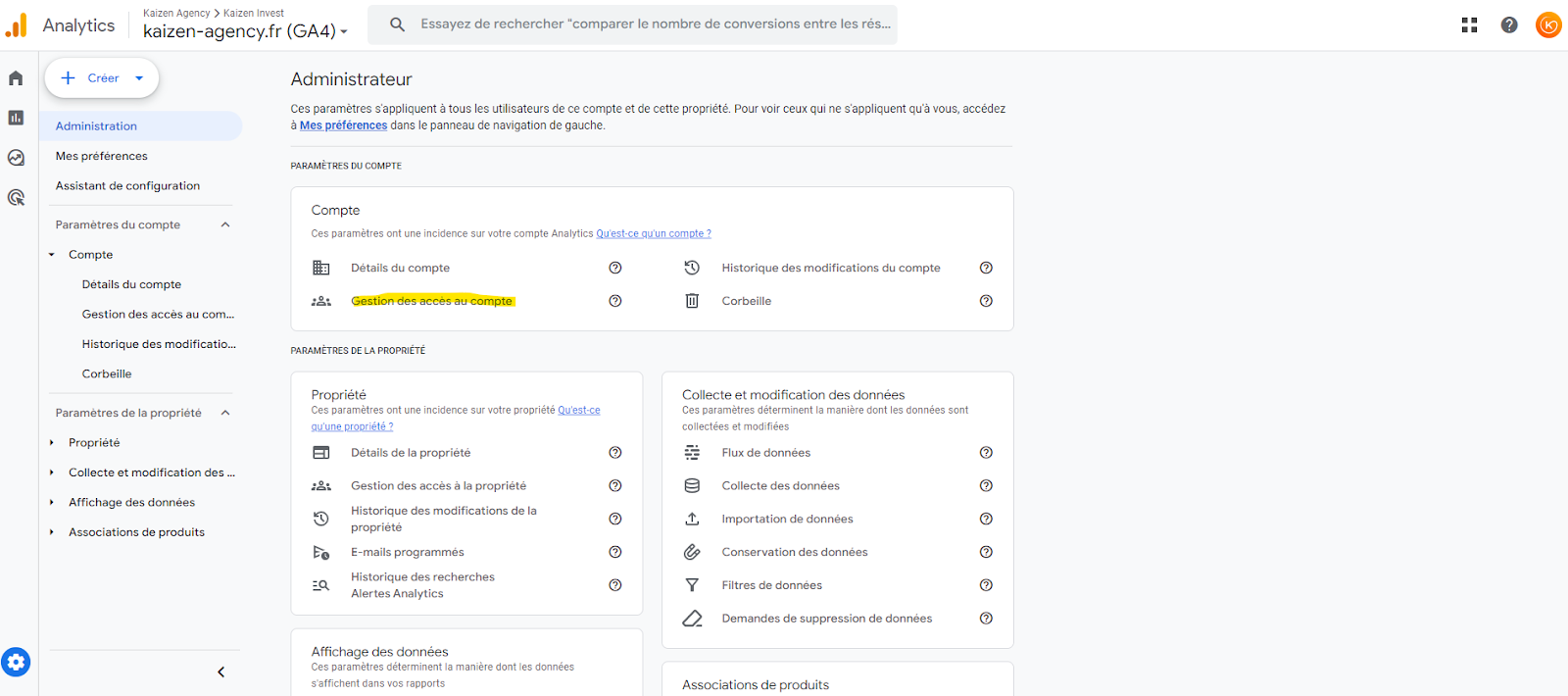
- Once signed in to the GA4 account, go to “Admin” (the gear icon at the bottom left of the interface).
- Find the “Account” section, then click “Account access management”
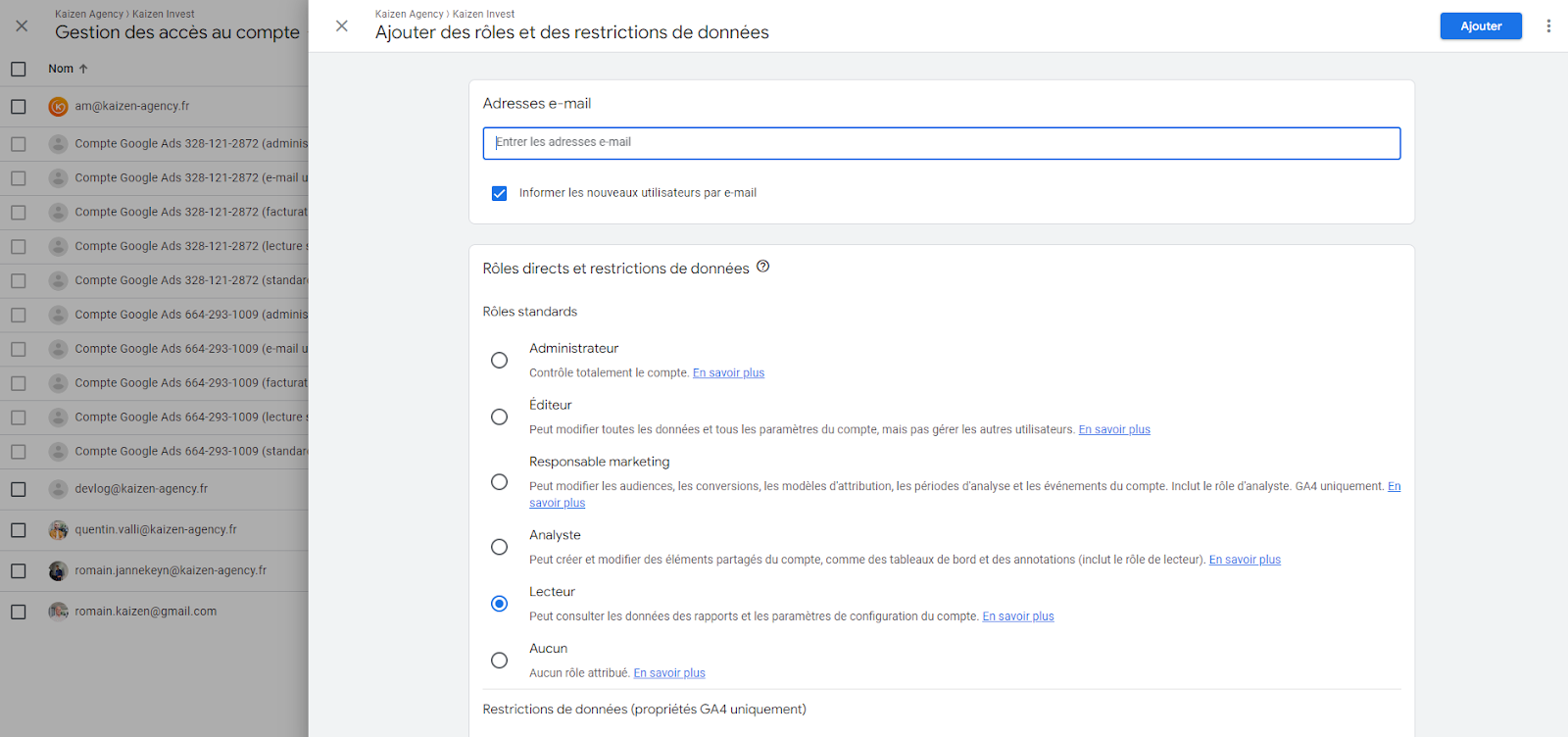
- Click the blue “+” icon at the top right to add a new user
- Enter the email address to add to GA4 as well as their role (Viewer, Analyst, Marketer, Editor, and Administrator), then send the request, then click “Add”.
Note that we ask our clients to share access with us as admin so we can link the GA4 and Google Ads accounts.
How to change user permissions?
- Open the link: https://analytics.google.com
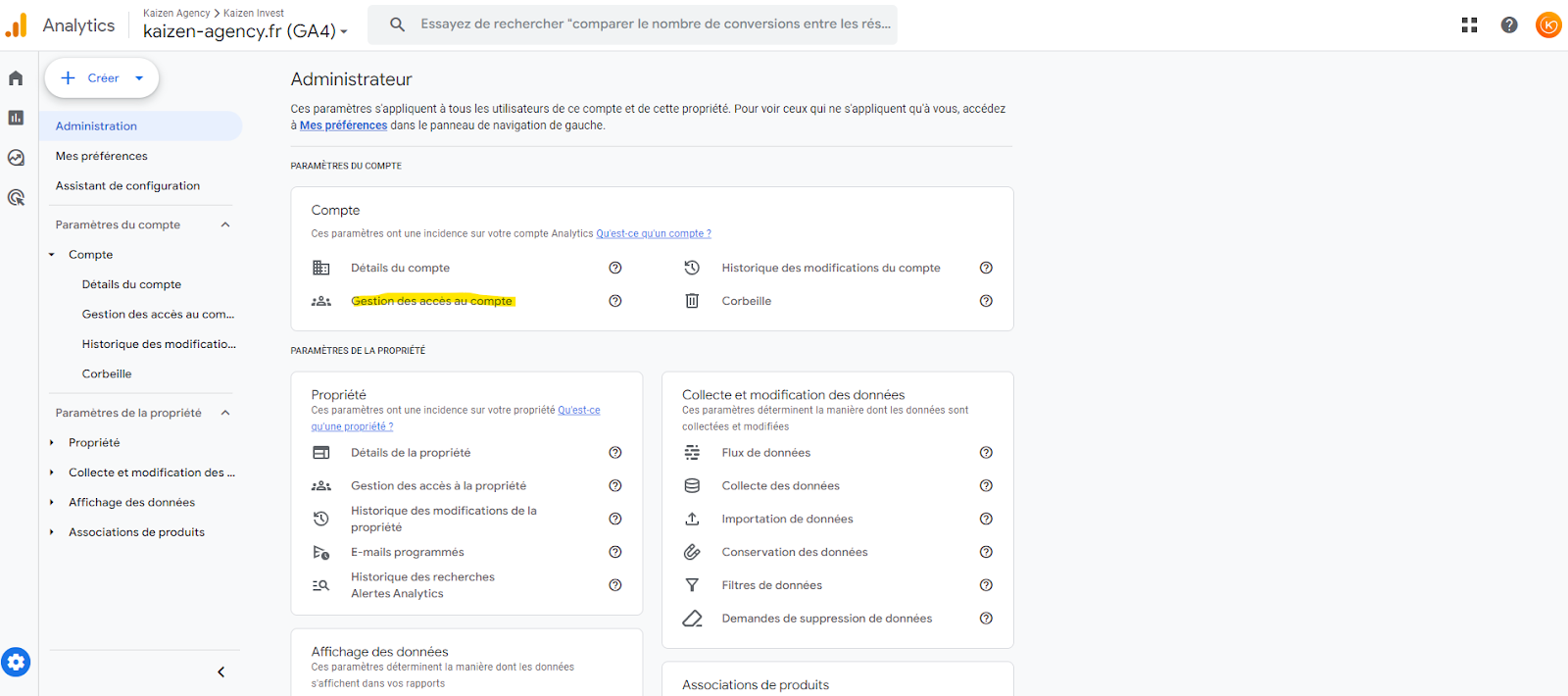
- Once signed in to the GA4 account, go to “Admin” (the gear icon at the bottom left of the interface).
- Find the “Account” section, then click “Account access management”
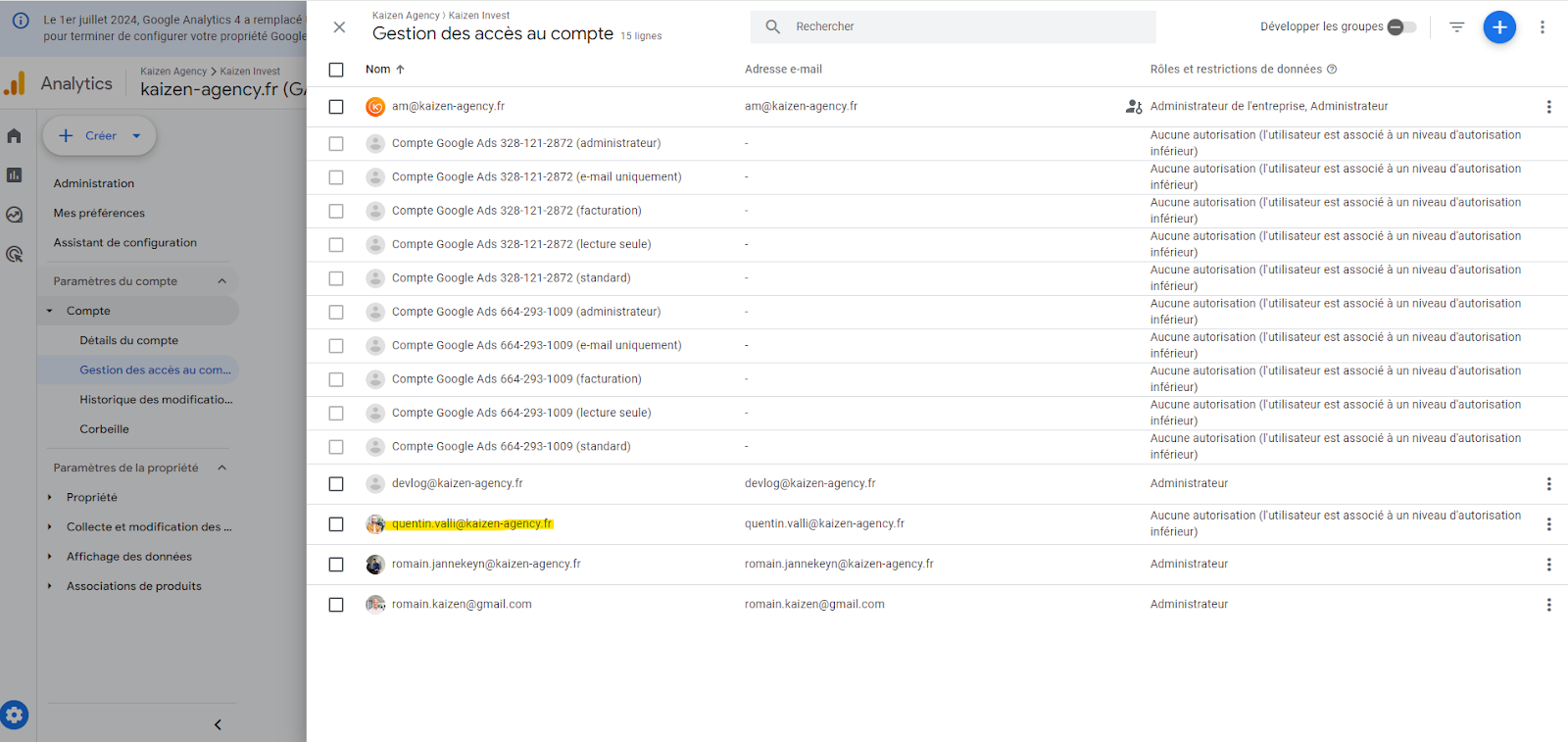
- Select the user whose access you want to change, choose their new access level, and save.
On this page