

Advanced Top Menu
How to configure the Advanced Top Menu module
Enable a menu item
To get started, go to the Module Manager page. To do this, click in the side menu > 'Improve' section > 'Modules' > 'Module Manager'
Once on this page, go to the 'Advanced Top Menu' module and click 'Configure'. (You may need to click the arrow to the right of the button to access 'Configure')
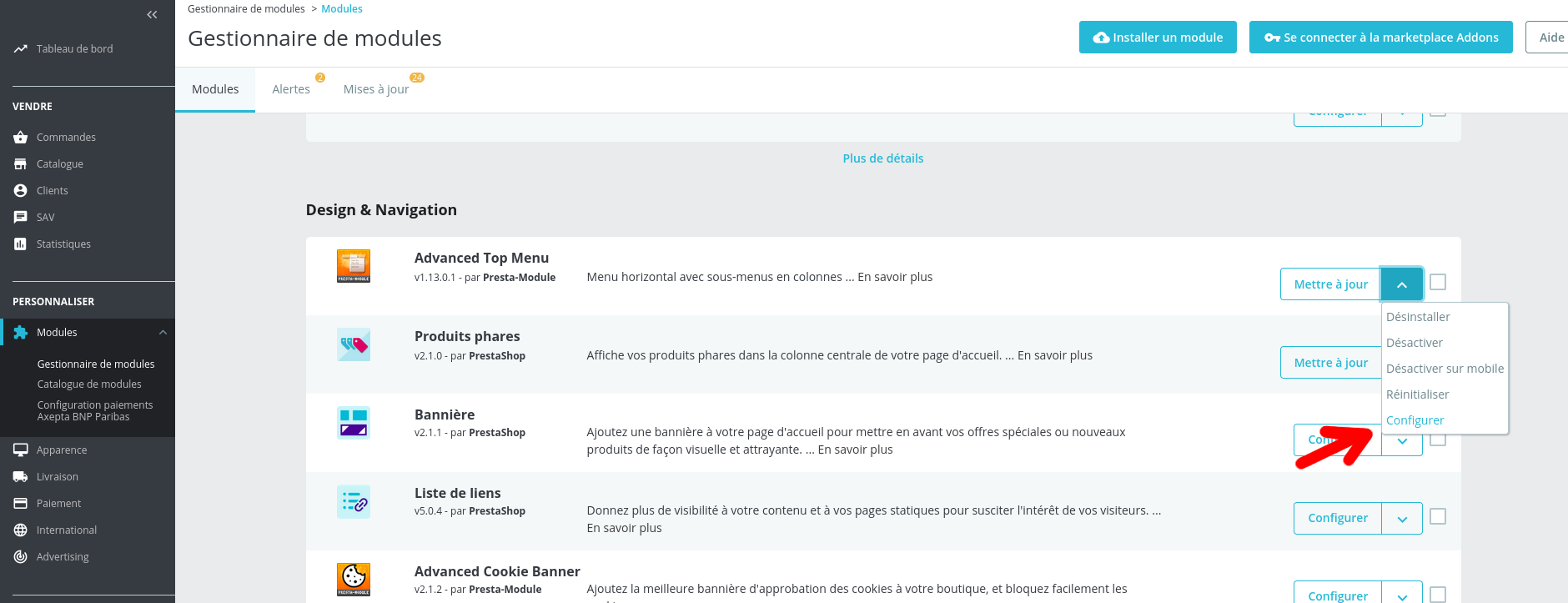
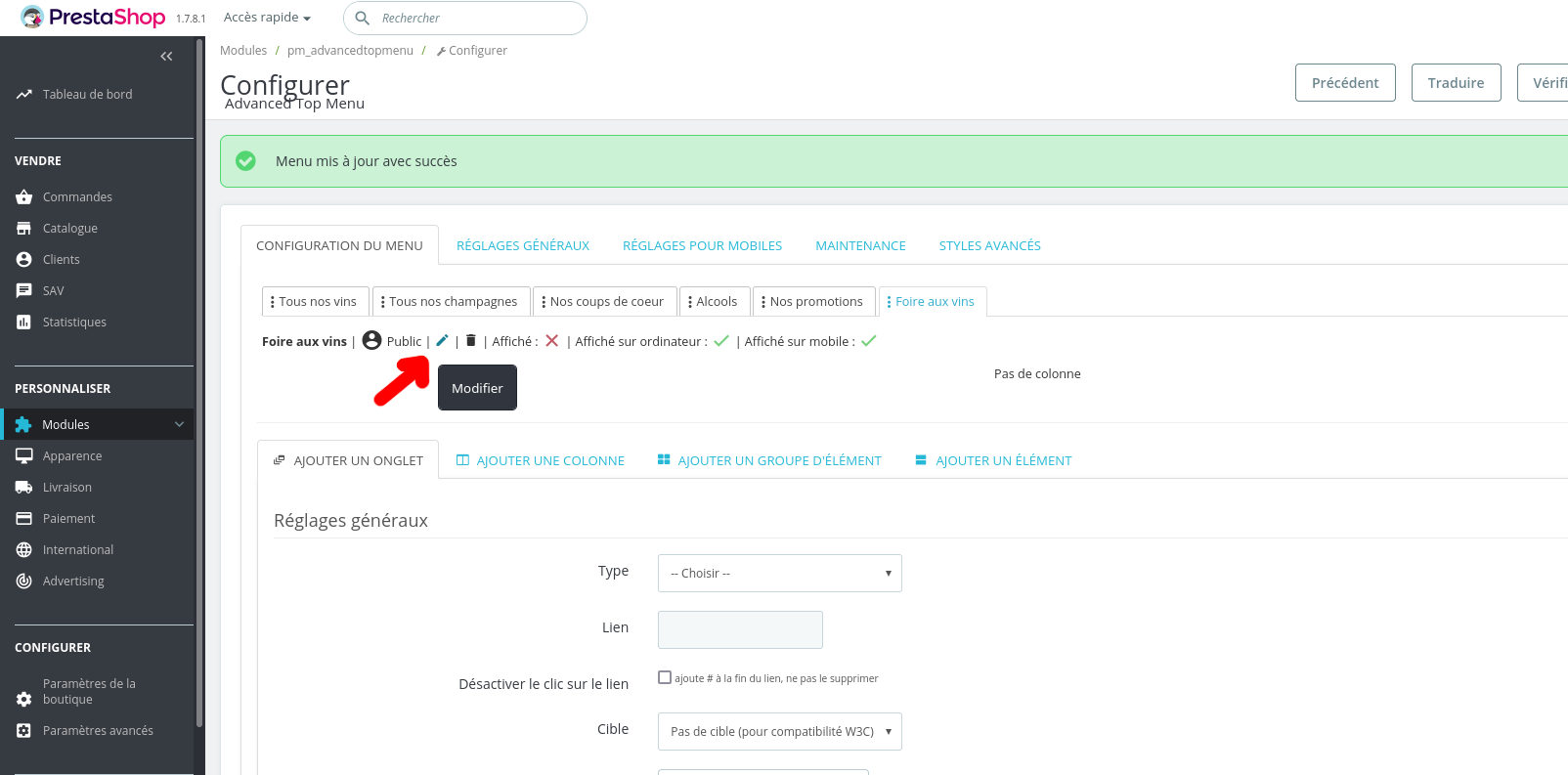
Then, in the 'Menu Configuration' tab, find the item to enable. (In this example, it is 'Foire aux vins')
Click the pencil icon ('edit') to access the item configuration.
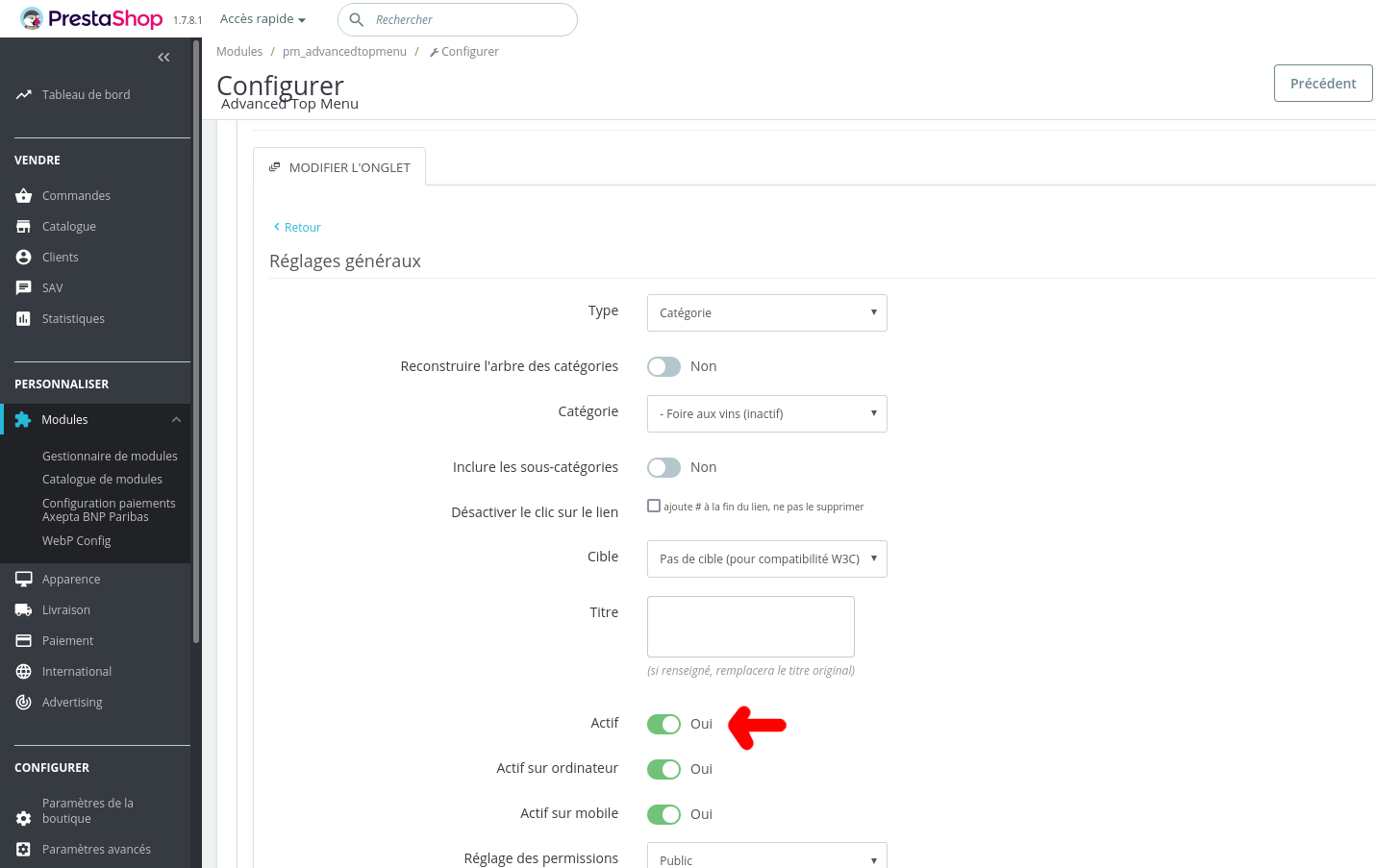
Locate the 'Active' option in 'General settings', then set it to active.
Click 'Save' at the bottom of the page.
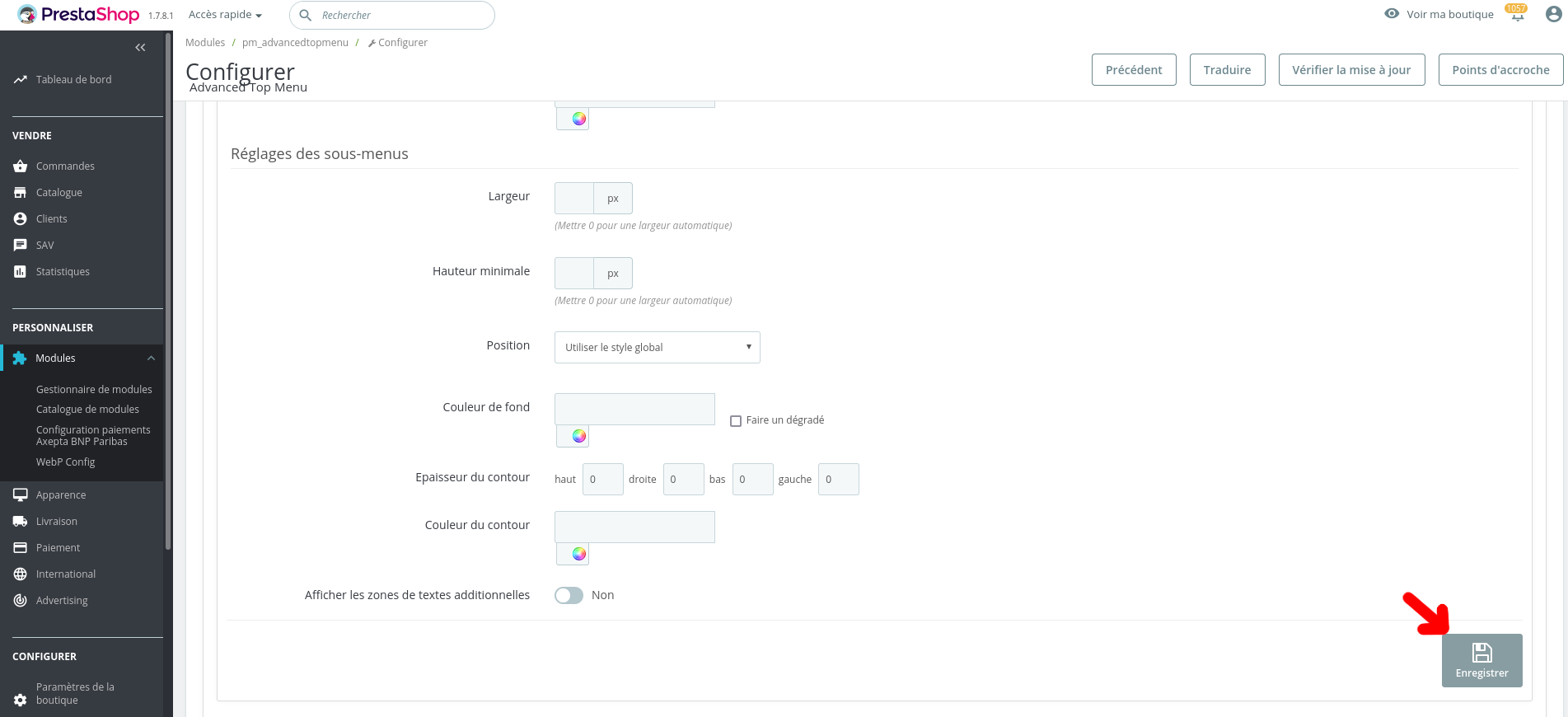
Your menu item is now visible to your visitors and your sales can begin!
We recommend enabling in this order:
- Your products
- Your category
- Your menu item
On this page